
You've accepted a speaking invitation, but the follow-up emails keep arriving: biography edits, disclosure reminders, slide deadlines and questions about handouts. Or you're the planner sending those messages, trying to establish whether an accepted speaker is actually ready. The speaker's job includes preparation, live delivery and post-event obligations, not just the time spent on stage.
For a speaker in event planning, the useful question is what they owe, when it's due and who approves it. Clear answers protect the program, reduce last-minute decisions and help first-time speakers concentrate on teaching.
Table of Contents
- Event Speaker Responsibilities at a Glance
- Speaker Roles and How Their Duties Differ
- Confirm Your Speaker Duties Before You Accept
- Preparing Before the Event Step by Step
- Disclosure and Accessibility Duties Speakers Often Miss
- Room Checks and Delivering on the Day
- Handouts, Evaluations and Credits After Your Talk
Event Speaker Responsibilities at a Glance
An event speaker is a person invited or selected to present, lead or moderate content at a conference, meeting or education program, with duties that can start months before they reach the stage.
Booking that person is rarely an individual decision. A 2024 benchmark survey reported by PCMA, involving 340 event organizers and 378 experienced speakers, found that fewer than 8% of organizers made speaker-booking decisions alone, while 67% named audience engagement as their top booking priority.
That collaborative reality should shape the assignment. The planner needs usable materials, the program committee needs content that matches the accepted proposal, and education staff need complete records. Speakers need a named contact who can resolve conflicting requests.
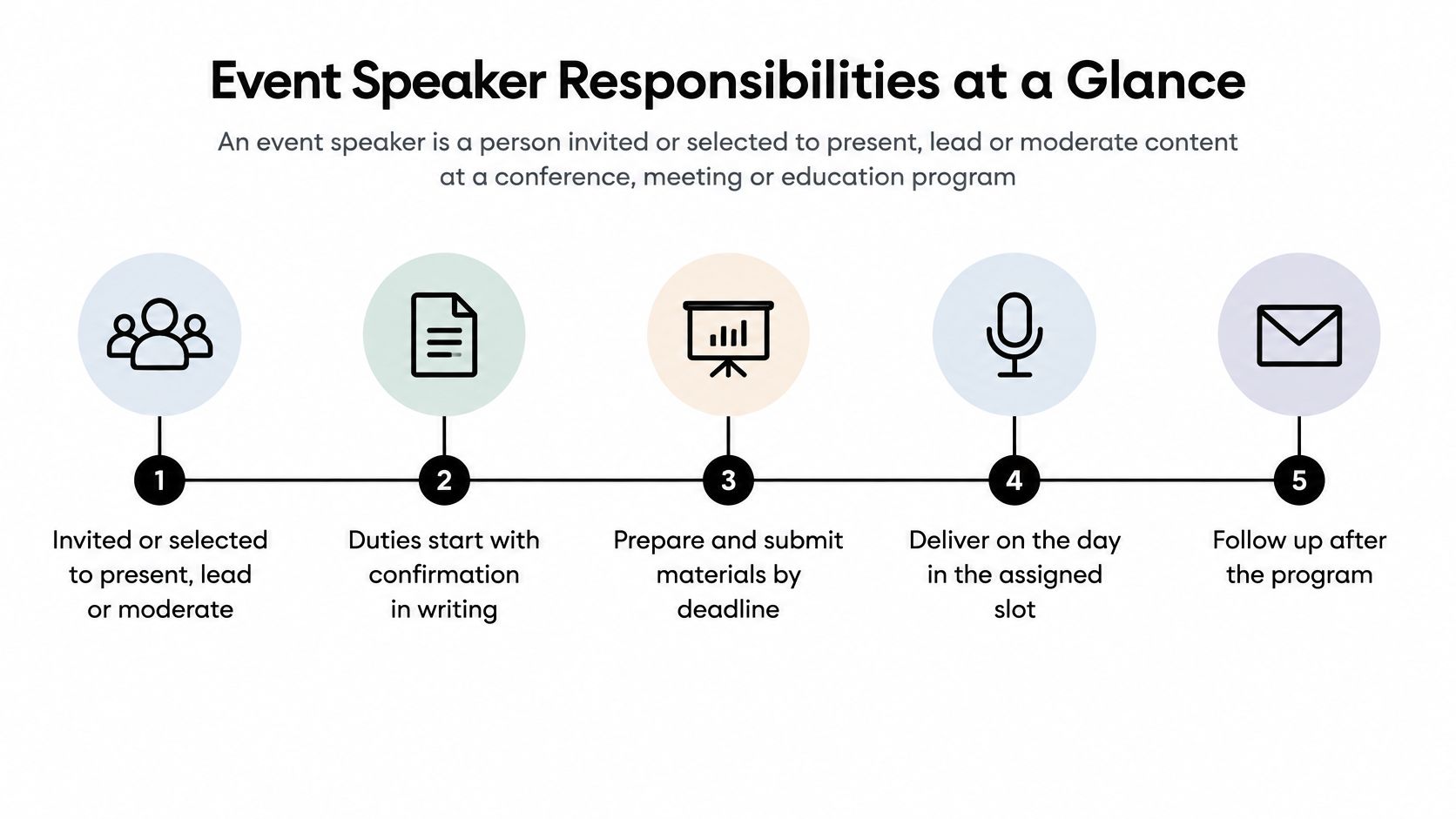
Speaker duties by phase
Use these timings as a working schedule, then replace them with the program's actual deadlines.
| Phase | Responsibility | Typical timing | Owner |
|---|---|---|---|
| Before | Accept invitation and confirm availability | At booking | Speaker and planner |
| Before | Submit title, abstract and biography | By the call for proposals deadline | Speaker |
| Before | Complete financial disclosures | Before the program is published | Speaker and compliance staff |
| Before | Rehearse the talk against a timer | Before the event | Speaker |
| Before | Upload final slides and handouts | Several days before the event | Speaker and program staff |
| During | Check room, microphone and screen | Before the session starts | Speaker and AV team |
| During | Deliver within the allotted time | Scheduled session slot | Speaker and moderator |
| During | Manage questions and hand off to the moderator | End of session | Speaker and moderator |
| After | Share handouts and presentation materials | After the session | Speaker and staff |
| After | Confirm evaluation and credit requirements | After the event | Speaker and education staff |
Make ownership visible
Submission isn't the same as approval. A speaker may upload a file that still needs technical review, or complete a disclosure that staff must assess before confirming readiness. Track those states separately so nobody mistakes an uploaded document for a cleared requirement.
The published program of the conference also creates commitments. Changing a title, learning objective or presenter after publication can affect attendee expectations and staff records, so speakers should route changes through the program owner rather than editing their slides on their own.
Practical rule: Every speaker task needs a deadline, a submission destination and a named person who can confirm acceptance.
A speaker who understands the before, during and after phases can plan backwards from the program deadline. That's more reliable than treating each reminder as a new assignment.
Speaker Roles and How Their Duties Differ
A keynote speaker and a workshop facilitator both need preparation, but they're preparing for different jobs. Assigning everyone the same briefing document leaves important work unspecified, particularly around participant activities, discussion management and content approval.
The role should determine the preparation load, not the speaker's seniority or reputation.
Speaker roles compared
| Role | Typical format | Core duty | Preparation load |
|---|---|---|---|
| Keynote speaker | Opening or plenary session, often invited | Set the theme and hold the full audience | High: early content sign-off, reviewed biography, full rehearsal |
| Concurrent session presenter | Track session within a set slot | Deliver an accepted abstract on time | Medium: slides, rehearsal, file submission |
| Panelist | Shared discussion with two or more speakers | Present a position and respond to others | Medium: agree positions and timing with the moderator |
| Moderator | Session chair or host | Introduce speakers, keep time, manage questions | Medium: brief with speakers, prepare questions |
| Workshop facilitator | Interactive, hands-on session | Lead activities and participant work | High: materials, room setup, activity timing |
The keynote speaker carries program-wide visibility. Early content sign-off should establish the central message and audience fit without scripting every sentence. A polished biography matters because staff may use it across introductions and program materials.
A concurrent session presenter needs discipline around scope. An accepted abstract is a commitment to a topic and learning outcome, not permission to substitute a favorite presentation. A technically strong talk can still disappoint if it doesn't deliver what attendees selected.
Coordination versus content production
For panelists, coordination matters more than slide volume. The moderator should establish opening positions, likely disagreements and boundaries so panelists don't repeat the same introduction or deliver competing mini-keynotes.
The moderator owns the room's process. That includes pronunciation checks, concise introductions, time signals, remote questions and a closing transition. Subject expertise helps, but it doesn't replace preparation for those tasks.
A workshop facilitator must design what participants will do, not merely what they'll hear. Materials, seating, instructions and activity timing need testing; adding exercises to an already full lecture usually leaves participants rushed.
One person can hold several roles at the same event. Use the preparation column to identify which duties stack, then build a preparation schedule that accounts for each assignment.
Confirm Your Speaker Duties Before You Accept
Run this checklist before saying yes. An invitation can sound straightforward while leaving travel obligations, publication permissions or education requirements unresolved.
- Confirm the assignment. Get the role, delivery format and slot length in writing, including whether discussion time is inside the slot.
- Find the deadlines. Identify proposal, biography, disclosure and presentation-file cutoffs, plus the person who approves changes.
- Ask about AI use. Obtain the program's policy and its declaration requirements before developing materials.
- Request accessibility support. Raise captioning, accessible templates, mobility arrangements, caregiving constraints and travel support early.
- Verify the technology. Confirm presentation software, microphones, remote connections and technical rehearsal arrangements.
- Set publication permissions. Establish how handouts and recordings will be shared, with whom and for how long.
- Confirm education conditions. Ask education staff to establish the session's credit value and learner completion requirements before publication.
If an answer is missing, request it in writing before accepting. Also clarify fees, reimbursable expenses and cancellation terms, rather than assuming the invitation covers them.
The organizer's next step
Map these checkpoints in your current systems before choosing where Planstone fits. For a conference consultation, we discuss your program, existing systems and team requirements; our customer relationship also includes staff training, event preparation and ongoing technical support.
Preparing Before the Event Step by Step
Good preparation produces evidence of readiness: an approved session description, reviewed materials, completed declarations and a delivery plan. Confidence alone doesn't tell program staff whether those tasks are finished.
Establish the assignment and build the content
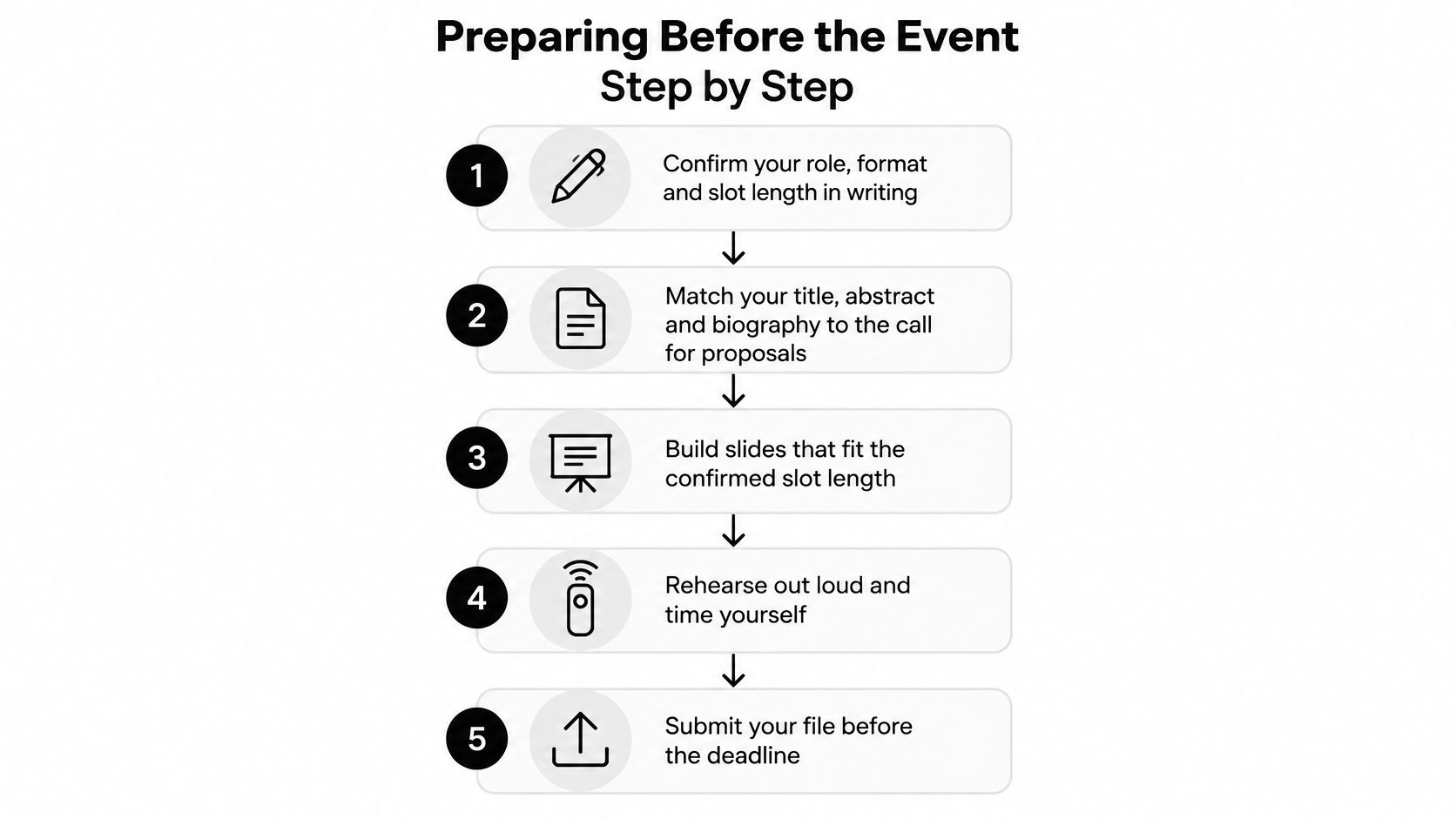
Confirm your role, format and slot length in writing. Establish whether introductions, audience questions and transitions sit inside your allocation. A panel contribution, recorded lecture and interactive workshop require different content plans, even when the subject is identical.
Match your title, abstract and biography to the call for proposals. Use the accepted learning objectives to decide what belongs in the talk, and remove material that doesn't support them. Keep your biography relevant to the assignment so the moderator can explain your qualifications without reading a career history.
Complete financial disclosures and any required AI-use declaration before program publication. Submit through the designated workflow rather than relying on a statement in an email thread. If a relationship or content-development method changes, tell the responsible staff member so the record can be updated.
Build slides from a standard preparation brief. Start with the audience's problem, organize the explanation into a clear sequence and finish with usable conclusions. Use readable text, descriptive chart labels and speaker notes that prompt delivery rather than duplicate every spoken sentence.
A useful slide review asks whether the audience can understand the evidence while listening. Dense tables may belong in a handout; presenting them at unreadable size doesn't make the talk more rigorous.
Rehearse, submit and verify
Rehearse the full talk aloud against a timer. Include demonstrations, transitions and the closing statement, then cut material until there's room for questions and interruptions. In a randomized controlled trial involving 81 academic conference sessions, concise presenter guidance improved judged presentation effectiveness by 0.11 to 0.22 standard deviations, with most effects near 0.20, supporting structured preparation as a quality control.
Upload the final presentation several days before the event. Give staff time to check fonts, embedded video, audio, aspect ratio and presentation-software compatibility. Identify the approved version clearly, and don't replace it at the lectern without telling the AV team.
Confirm room, microphone and remote-link details with program staff. Establish the arrival route, technical contact, presentation computer and connection procedure. Remote speakers should also know how staff will communicate privately if their sound, camera or screen sharing fails.
A rehearsal is complete when you've delivered the talk at speaking pace, not when you've silently clicked through the slides.
At Planstone, our platform connects abstracts, speakers and disclosures into one coordinated workflow, with handouts flowing to participants and evaluations and credits completing the event. That connection helps staff manage preparation as part of the program rather than as a separate collection of files.
A ready speaker can show the program team that slides are submitted, a timed rehearsal is complete, disclosures are cleared and logistics are confirmed. If an item is outstanding, name the owner and next action instead of reporting the whole session as ready.
Disclosure and Accessibility Duties Speakers Often Miss
Believing disclosure matters doesn't guarantee that speakers disclose. A 2025 survey of digital-humanities researchers found that 72% of respondents who had never disclosed generative-AI use nevertheless considered disclosure “very necessary.”
A yes-or-no declaration doesn't resolve that gap. Speakers need instructions that identify the activities to report, the review expected and the place where attendees will see the disclosure.
Record the activity, not just the tool
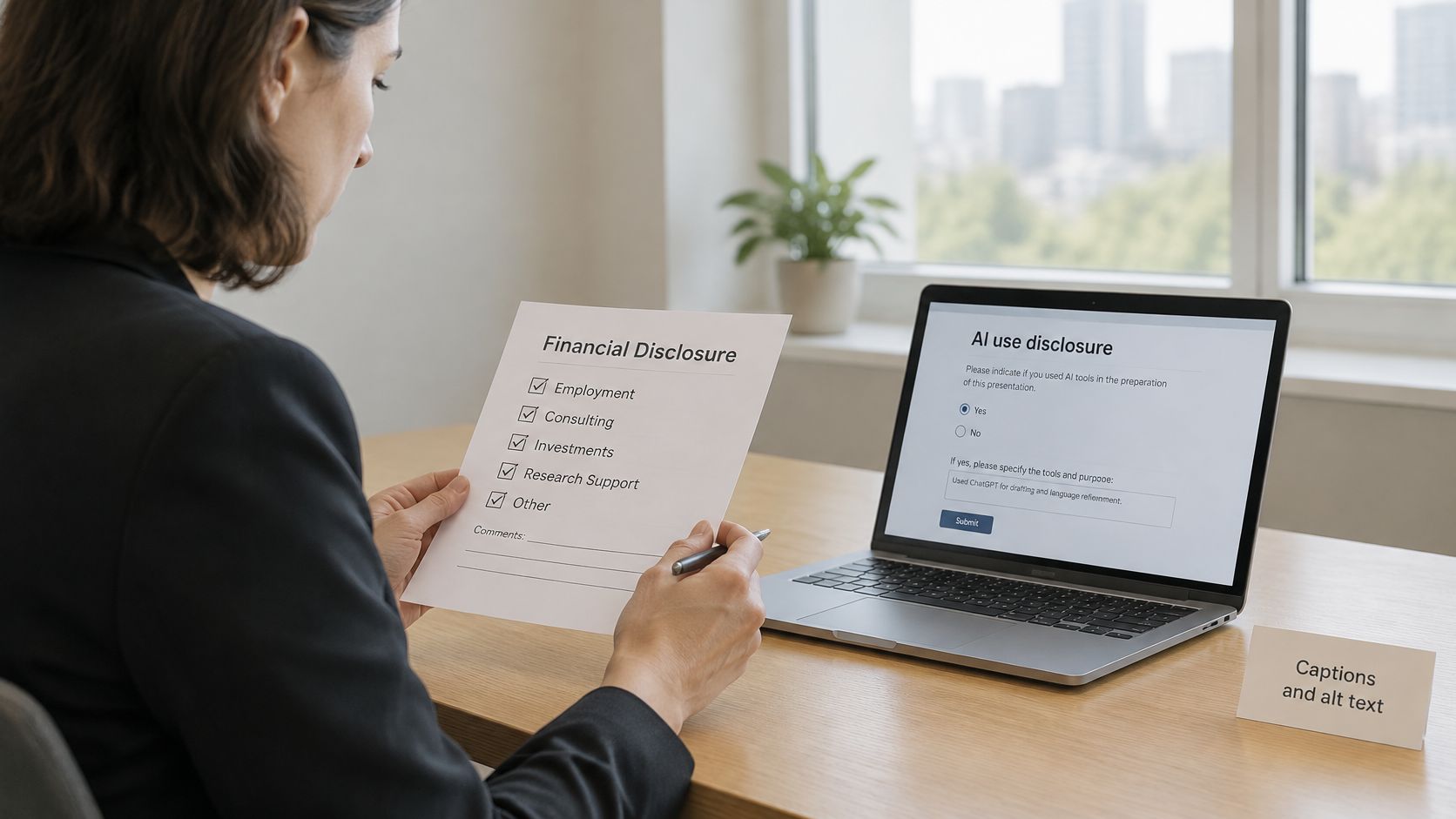
Collect financial relationships through the program workflow and complete the required review before publication. A submitted financial disclosure form shouldn't be treated as proof that staff have resolved every relevant relationship.
For AI use, distinguish lower-risk assistance, such as language editing or translation, from higher-risk content generation, such as analysis, images, references or clinical claims. Lower risk doesn't mean exempt from the program's policy, and disclosure doesn't make inaccurate content acceptable.
Keep a short record that answers:
- What the tool did. Identify the affected abstract, slide, image, analysis or handout.
- What a person checked. Name the reviewer and describe verification of claims, references, calculations and image meaning.
- What information was entered. Flag confidential, unpublished or identifiable material through the appropriate institutional process.
- Where disclosure appears. Follow the program's requirements for submission records, slides, spoken statements and published materials.
Organizers should make honest reporting straightforward. Explain how declarations will be reviewed and corrected, rather than treating every disclosed use as misconduct.
Make accessibility part of preparation
Collect speaker requirements confidentially through a named contact. Ask about the support needed to complete the assignment, not for unnecessary medical details.
Provide screen-reader-friendly templates with logical reading order and meaningful image descriptions. Give captioning staff a specialist terminology list, and let speakers review terminology that could change the meaning of scientific or clinical content.
Equal participation may require different arrangements. Flexible submission or rehearsal deadlines can support disabled and caregiving speakers; remote presenters need equivalent technical assistance, not just a meeting link. Discuss accessible travel, stage access and caregiving support early enough to arrange them, and confirm what the organizer can provide.
Before submitting materials, every speaker should be able to answer: What did AI do, who reviewed it, and where is it disclosed?
Room Checks and Delivering on the Day
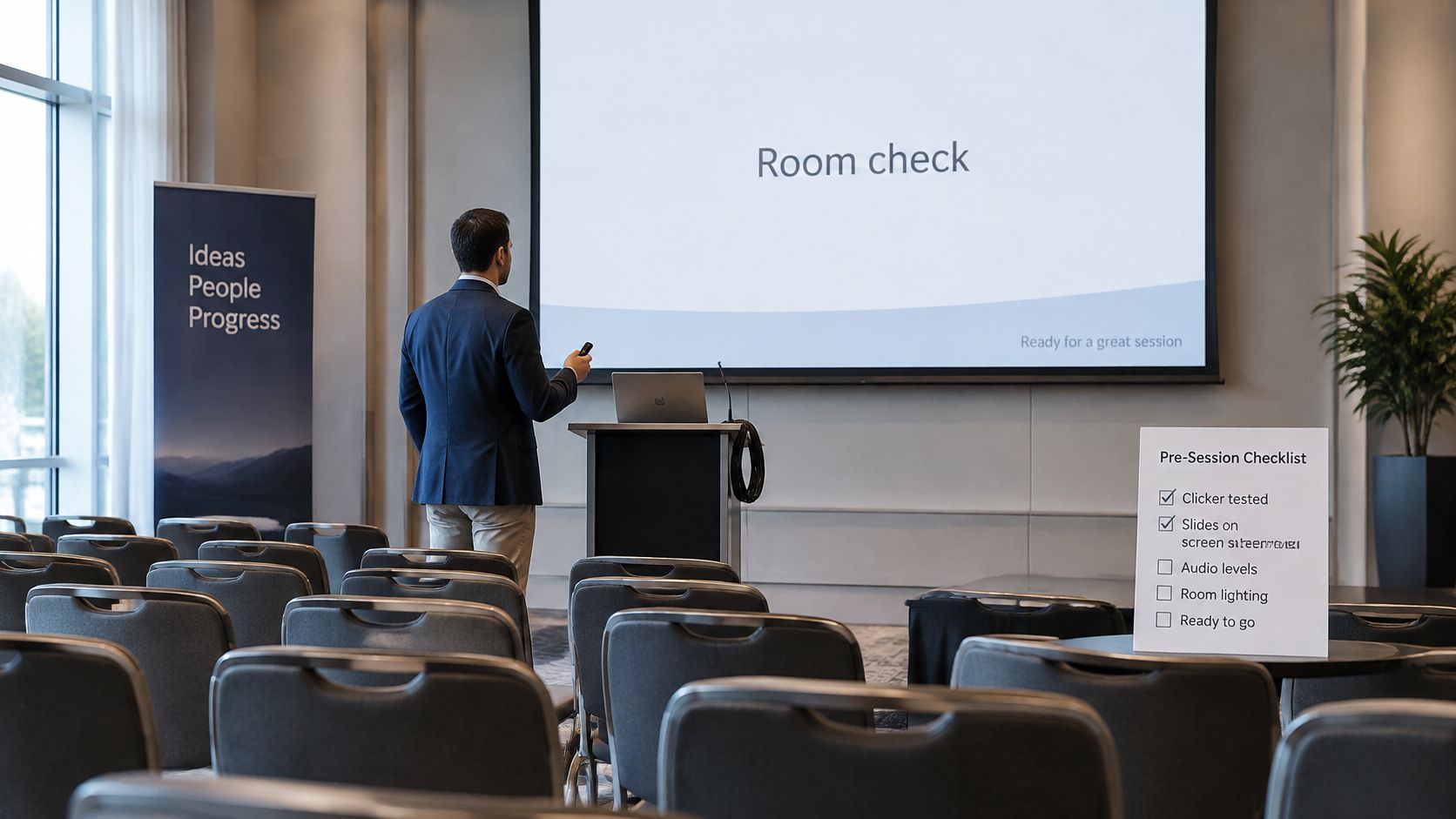
Reach the room before the session, load the approved file and test the clicker. Confirm that the presenter screen shows what you need without forcing you to turn away from the audience.
A peer-reviewed practical framework for international dermatology conferences recommends checking microphone height and placement, sound quality, presenter-screen accessibility and slide visibility; the presentation guidance also emphasizes that images and text should remain legible throughout a conventional lecture room.
Arrival checks that prevent avoidable interruptions
Run the checks on the actual equipment, not just your laptop.
- Open the approved file. Inspect equations, symbols, fonts and any slides with complex formatting.
- Play embedded media. Confirm that video and audio reach the audience through the room system.
- Test microphone position. Speak at your normal volume and check whether movement affects pickup.
- Check sightlines. Inspect a detailed slide from the rear of the room and confirm that the lectern doesn't obstruct your view.
- Agree on signals. Ask the moderator how they'll indicate remaining time and end audience questions.
- Test remote participation. Confirm who monitors the online audience and how remote questions reach the room.
Tell the AV team about failures immediately. Hoping an unreadable chart or silent video will work during the talk removes their opportunity to fix it.
Deliver to the slot, not to the slide count
Start with the session's purpose and establish a pace you can sustain. Watch the agreed time signal, and use rehearsed cut points if you're running late rather than accelerating through every remaining slide.
For questions, repeat or briefly restate each question into the microphone so the room, remote audience and recording can follow it. Route online questions through the moderator instead of monitoring a separate chat while answering someone in the room.
If you don't know an answer, say so and identify a sensible follow-up route. For clinical or scientific questions, don't improvise unsupported advice to avoid an awkward pause.
Delivery standard: Protect the audience's question time and the next speaker's start time, even if that means omitting optional material.
Recover without making the audience troubleshoot
Keep an approved backup on a USB drive and in permitted cloud storage, plus a PDF fallback for static slides. Use secure, program-approved storage for sensitive materials, and remember that a PDF won't preserve interactive demonstrations or embedded media.
Know how to explain the central message without slides. If the display fails, let the moderator and AV team manage recovery while you deliver the essential explanation; don't narrate your attempts to reconnect cables.
Finish with a clear conclusion and hand control back to the moderator. Success means the file opened on time, the room was tested, the session stayed within its slot and audience questions received appropriate answers or follow-up.
Handouts, Evaluations and Credits After Your Talk
Upload the approved handouts in the format and access level the program specifies. Confirm who can view them before, during and after the event, and remove material you don't have permission to distribute.
Encourage attendees to complete evaluations using the program's actual instructions. If an evaluation is a completion condition, state that accurately; don't promise that attendance alone earns credit.
Keep publication accessible
Check the published file, not just the original presentation. Use readable text, descriptive links, accessible reading order and corrected captions where recordings are shared.
The ASLA conference assessment documents supports including closed captioning, mobility spaces and a lactation room. For speakers, continue that practical attention through publication: provide a confidential route for reporting inaccessible materials and a named owner for corrections.
Calculate credit from eligible learning time
A Continuing Education Unit, or CEU, equals 10 contact hours of participation in an organized continuing-education experience under responsible sponsorship, capable direction and qualified instruction, according to IACET's CEU definition.
The IACET calculation guidance defines contact time through learner interaction with an instructor or learning materials designed to produce a learning outcome, with progress monitoring or feedback. Exclude breaks and unplanned, unsupervised or non-sponsored activity rather than counting the entire scheduled block.
The examples below apply the IACET CEU issuance guidance: divide eligible contact minutes by 60 to obtain contact hours, then divide contact hours by 10 to obtain CEUs; communicate available credit and completion conditions before participation, and issue certificates showing awarded credit only after successful completion is validated.
| Eligible contact minutes | Contact hours | CEUs awarded |
|---|---|---|
| 60 | 1 | 0.1 |
| 150 | 2.5 | 0.25 |
| 600 | 10 | 1 |
These are calculations, not automatic awards. Education staff must validate eligible activity and learner completion under the program's rules.
Keep the credit type explicit in continuing education credit hours records. As IACET explains, CEUs measure structured, non-credit continuing education and aren't automatically interchangeable with academic credit or universally accepted licensing credentials.
Retain the delivered presentation version, actual session length and materials shared. Those records help education staff reconcile the session with participant credit records without asking speakers to reconstruct it later.
Planstone offers configurable conference and continuing education management software connecting speaker preparation, disclosures, handouts, evaluations and credit administration. Visit Planstone to discuss your program, existing systems and team requirements, and identify where a coordinated speaker workflow would help your next event.